

A website can have excellent content, attractive design, and hundreds of backlinks — but if search engines cannot properly crawl, understand, and index it, much of that effort can go to waste.
That is where technical SEO comes in.
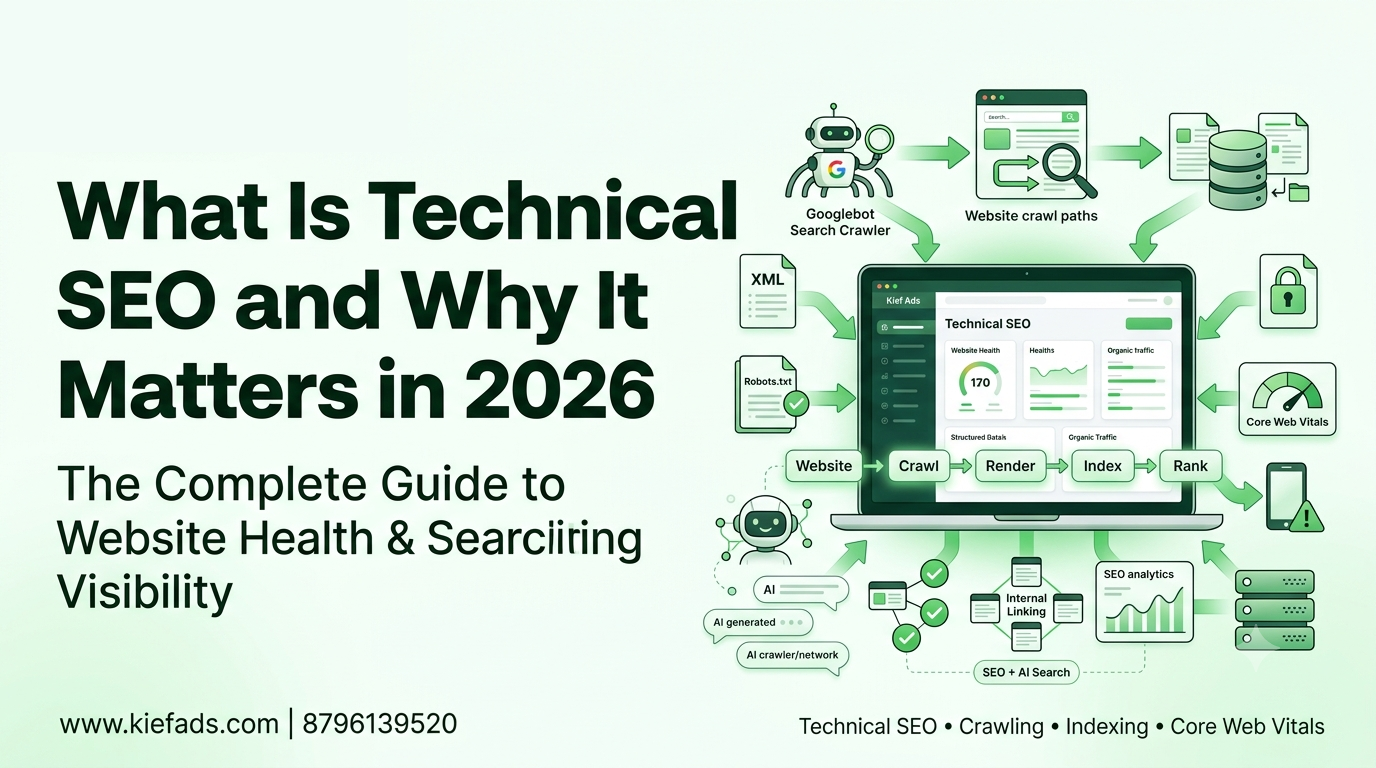
Technical SEO is the behind-the-scenes process of improving a website’s technical foundation so that search engines can discover, crawl, render, understand, and index its pages efficiently. It covers everything from website speed and mobile usability to XML sitemaps, robots.txt, canonical URLs, structured data, HTTPS, and Core Web Vitals.
In 2026, technical SEO has become even more important because search is no longer limited to traditional Google results. Search engines and AI-powered answer platforms increasingly rely on websites that are technically accessible, well-structured, trustworthy, and easy for machines to interpret.
For businesses, this means SEO is not simply about adding keywords to content. Your website’s technical foundation matters just as much.
In this guide, we’ll explain what technical SEO is, why it matters, the major technical SEO factors you should focus on, common mistakes to avoid, and how KiefAds can help businesses build a stronger search-ready website.
1. What Is Technical SEO?
Technical SEO is the process of optimizing the technical structure and infrastructure of a website to help search engines crawl, render, understand, and index its content more effectively.
Unlike content SEO, technical SEO is mostly concerned with what happens behind the scenes.
For example, a visitor may see a beautifully designed website, but search engine crawlers need to understand very different things:
- Can they access the page?
- Is the URL allowed to be crawled?
- Is the page included in the XML sitemap?
- Is there a canonical version?
- Can the page be rendered correctly?
- Does the website work properly on mobile devices?
- Does the page load quickly?
- Is the website using HTTPS?
- Does structured data accurately describe the page?
- Are important pages accidentally blocked or excluded from indexing?
These are technical SEO questions.
Think of your website as a building.
Your content, images, products, and services are what visitors come to see. Technical SEO is the foundation, electrical system, plumbing, navigation, and structure that allow the building to function properly.
If the foundation is weak, improving the decoration alone will not solve the underlying problem.
The same principle applies to SEO.
Technical SEO vs Content SEO
Content SEO focuses on what appears on the page, including:
- Keywords
- Headings
- Search intent
- Content quality
- Internal links
- Readability
- Topic coverage
Technical SEO focuses on how the website works, including:
- Crawling
- Indexing
- Website architecture
- Page speed
- Mobile usability
- HTTPS
- XML sitemaps
- Robots.txt
- Canonicalization
- Structured data
- JavaScript rendering
- Core Web Vitals
Both areas work together.
You can publish the best article in your industry, but if Google cannot crawl or index the page, that content may struggle to generate organic visibility.
2. Why Technical SEO Matters for Your Website
Search engines need to discover and understand your website before they can decide where its pages should appear in search results.
This makes technical SEO one of the fundamental components of a successful SEO strategy.
A strong technical foundation can help search engines:
- Discover important URLs.
- Crawl your website efficiently.
- Understand your website structure.
- Render pages correctly.
- Identify the preferred version of duplicate URLs.
- Understand page content through structured data.
- Evaluate page experience.
- Index valuable pages.
- Process website changes more efficiently.
Technical SEO also helps users.
A technically optimized website is generally easier to navigate, faster to load, more mobile-friendly, and less likely to produce broken pages or confusing experiences.
What happens when technical SEO is ignored?
Technical problems can create issues such as:
- Important pages not being indexed
- Duplicate URLs
- Broken internal links
- Crawl errors
- Slow-loading pages
- Poor mobile experience
- Incorrect canonical tags
- Incorrect redirects
- Orphan pages
- XML sitemap problems
- Robots.txt blocking
- Server errors
- Poor Core Web Vitals
- JavaScript rendering issues
The result can be reduced organic visibility and a poor user experience.
3. The Core Pillars of Technical SEO
Technical SEO covers a wide range of areas. However, several pillars deserve particular attention.
3.1 Crawlability
Crawlability refers to how easily search engine bots can access and navigate your website.
Search engines use crawlers to discover URLs and analyze their content.
If important pages cannot be crawled, search engines may have difficulty discovering or processing them.
Common crawlability issues include:
- Incorrect robots.txt rules
- Broken internal links
- Excessive redirects
- Server errors
- Poor website architecture
- JavaScript-dependent navigation
- Crawl traps
- Unnecessary URL parameters
A technical SEO audit should identify whether search engine crawlers can efficiently access the important sections of your website.
3.2 Indexability
Crawling and indexing are not the same thing.
A search engine may be able to crawl a URL but still decide not to index it.
Indexability focuses on whether a page is eligible to appear in search results.
Important factors include:
- Noindex directives
- Canonical tags
- HTTP status codes
- Duplicate content
- Redirects
- Sitemap signals
- Content quality
- Indexing restrictions
Google Search Console is particularly useful for identifying indexing problems.
If important pages are showing statuses such as “Crawled – currently not indexed,” “Discovered – currently not indexed,” “Duplicate,” “Alternate page with proper canonical,” or “Server error,” further investigation may be necessary.
4. XML Sitemaps and Robots.txt
Two files frequently discussed in technical SEO are XML sitemaps and robots.txt.
They serve different purposes.
XML Sitemap
An XML sitemap provides search engines with a list of URLs that you want them to discover and process.
A well-maintained sitemap should generally contain:
- Important canonical URLs
- Indexable pages
- Relevant content pages
- Current URLs
Avoid filling your sitemap with unnecessary URLs, redirected pages, broken pages, or URLs that should not be indexed.
Robots.txt
The robots.txt file provides instructions to crawlers about which areas of a website they may or may not crawl.
A common mistake is accidentally blocking important website sections.
For example, if your /blog/ or /products/ section is unintentionally blocked, search engines may have difficulty crawling those URLs.
Important: Robots.txt and noindex are not interchangeable. They control different aspects of crawling and indexing and should be configured carefully.
5. Website Architecture and Internal Linking
A technically optimized website should have a logical structure.
A simple architecture might look like:
Homepage → Category → Subcategory → Individual Page
For example:
Home → Digital Marketing Services → SEO Services → Local SEO
This structure makes it easier for users and search engines to understand the relationship between different pages.
Internal linking also helps distribute authority throughout the website and provides additional paths for crawlers to discover important pages.
Good internal linking practices include:
- Linking relevant pages naturally
- Using descriptive anchor text
- Connecting service pages with related blog posts
- Linking important pages from high-authority pages
- Avoiding orphan pages
- Maintaining logical navigation
Internal linking is therefore both a technical and content-related SEO consideration.
6. Core Web Vitals and Page Experience
Website speed has become an important part of technical SEO and user experience.
Google’s Core Web Vitals focus on three key user-experience metrics:
LCP — Largest Contentful Paint
LCP measures how quickly the main content of a page becomes visible.
CLS — Cumulative Layout Shift
CLS measures unexpected movement of content while a page loads.
INP — Interaction to Next Paint
INP measures how responsive a page is when users interact with it.
Poor performance can frustrate users, particularly on mobile devices.
Common causes of poor performance include:
- Large images
- Unoptimized videos
- Excessive JavaScript
- Render-blocking resources
- Poor caching
- Third-party scripts
- Heavy WordPress plugins
- Inefficient code
- Slow server response times
How can you improve website performance?
Depending on the problem, technical SEO work may include:
- Compressing and properly sizing images
- Using modern image formats
- Improving caching
- Removing unnecessary scripts
- Reducing JavaScript execution
- Optimizing CSS
- Improving server response time
- Using a content delivery network where appropriate
- Lazy-loading non-critical resources
A website should not only look good. It should also perform well.
7. Mobile SEO
A large percentage of web traffic comes from mobile devices, making mobile usability an essential part of website optimization.
A mobile-friendly website should:
- Adapt to different screen sizes
- Have readable text
- Use appropriately sized buttons
- Avoid intrusive layout problems
- Load efficiently
- Provide easy navigation
- Display important content correctly
Google primarily uses the mobile version of a site’s content for indexing and ranking.
This makes mobile-first website development particularly important for modern SEO.
8. HTTPS and Website Security
HTTPS encrypts information transferred between a website and its visitors.
A secure website is now a basic expectation for modern websites.
Your technical SEO checklist should therefore include:
- HTTPS implementation
- Valid SSL/TLS certificate
- Correct HTTP-to-HTTPS redirects
- No mixed-content issues
- Consistent canonical URLs
- Secure versions of internal links
If both HTTP and HTTPS versions are accessible without proper configuration, it can create unnecessary technical complications.
9. Canonical URLs and Duplicate Content
Duplicate or near-duplicate pages can make it difficult for search engines to determine which version should be treated as the primary URL.
A canonical tag helps indicate the preferred version of a page when multiple URLs contain substantially similar content.
Common causes of duplicate URLs include:
- URL parameters
- HTTP and HTTPS versions
- WWW and non-WWW versions
- Trailing slash variations
- Filtered category pages
- Duplicate product URLs
- Print versions
- Tracking parameters
Canonicalization needs to be implemented carefully.
A canonical tag pointing to the wrong page can create another SEO problem rather than solving the original one.
10. Structured Data and Schema Markup
Structured data helps search engines understand what a page represents.
Instead of simply seeing a collection of words, search engines can receive additional machine-readable information about entities and content types.
Depending on the website, relevant structured data may include:
- Organization
- LocalBusiness
- Article
- BlogPosting
- Product
- BreadcrumbList
- Event
- Review
- Course
- FAQPage, where applicable
For example, a local business website may use structured data to provide information about the organization, while an e-commerce website may use Product structured data.
Schema markup should accurately represent the visible content on the page.
Adding irrelevant or misleading structured data does not make a website more trustworthy.
11. Technical SEO and AI Search in 2026
Search is changing.
People increasingly use traditional search engines alongside AI-powered search and answer platforms.
These systems need to retrieve, interpret, and organize information from websites.
That makes website structure, clear content, crawlability, entity information, and machine-readable signals increasingly important.
However, technical SEO for AI search should not be treated as a completely separate discipline.
Many of the fundamentals remain the same:
- Make your website crawlable.
- Keep important content accessible.
- Use clear page structures.
- Maintain accurate metadata.
- Use relevant structured data.
- Build logical internal links.
- Keep information accurate and updated.
- Maintain strong website performance.
- Clearly identify your business and authorship where appropriate.
The goal is not to create a website exclusively for machines.
The goal is to create a website that is clear and useful for people while also being technically understandable to search systems.
12. Technical SEO vs On-Page SEO vs Off-Page SEO
SEO is often divided into three major areas.
| SEO Type | Primary Focus | Examples |
|---|---|---|
| Technical SEO | Website infrastructure | Crawling, indexing, speed, schema, mobile usability |
| On-Page SEO | Content and page optimization | Keywords, headings, content, internal links, metadata |
| Off-Page SEO | External signals | Backlinks, digital PR, mentions, brand authority |
These areas should not be treated as isolated strategies.
For example, imagine a website with:
- Excellent backlinks
- High-quality content
- Strong keyword targeting
But its important pages are blocked from crawling.
The other SEO efforts may not deliver their full potential.
Likewise, a technically excellent website with thin or unhelpful content may still struggle to perform well.
Technical SEO provides the foundation. On-page SEO improves relevance. Off-page SEO can strengthen authority and visibility.
13. A Common Problem: Great Content but Poor Visibility
Imagine a company publishes 50 high-quality blog posts over the course of a year.
The content is original, useful, and well-researched.
But organic traffic remains low.
A technical SEO audit discovers:
- Several important pages are blocked by robots.txt.
- The XML sitemap contains outdated URLs.
- Some pages have incorrect canonical tags.
- Images are unnecessarily large.
- Several internal links lead to broken URLs.
- Some pages have poor mobile performance.
- Important pages are buried several clicks away from the homepage.
The problem may not be the content.
The problem may be the website’s technical foundation.
Once technical problems are identified and corrected, search engines can potentially access and process the website more effectively.
Results will still depend on factors such as competition, content quality, website authority, search demand, and the specific technical issues involved.
14. Which Technical SEO Priorities Should You Focus On?
Not every website has the same technical SEO requirements.
Your priorities should depend on the website’s current condition.
| Website Situation | Technical SEO Priority |
|---|---|
| New website with little or no indexing | Crawlability, indexing, sitemap and robots.txt |
| Website has slow pages | Core Web Vitals and performance |
| Many duplicate URLs | Canonicalization and URL management |
| Large website | Crawl efficiency and website architecture |
| E-commerce website | Product URLs, faceted navigation and structured data |
| Local business website | LocalBusiness information, mobile usability and technical accessibility |
| Website recently migrated | Redirects, canonical tags, indexing and broken links |
| Traffic is declining | Technical audit, indexing checks and recent site changes |
| Website expanding rapidly | Architecture, internal linking and crawl management |
| Website targeting AI search | Clear structure, accessibility, structured data and authoritative content |
This is why a technical SEO audit should come before randomly implementing technical changes.
15. How KiefAds Approaches Technical SEO
At KiefAds, we treat technical SEO as a core part of a complete digital marketing strategy rather than a one-time checklist.
Our approach begins with understanding how your website is currently performing.
We examine areas such as:
- Website crawlability
- Indexing status
- XML sitemap
- Robots.txt
- Canonical URLs
- Redirects
- Broken links
- Website architecture
- Internal linking
- Core Web Vitals
- Mobile usability
- HTTPS and security
- Structured data
- Metadata
- Duplicate content
- URL structure
- Google Search Console data
- Technical errors affecting organic visibility
The objective is not to make technical changes simply for the sake of making changes.
The objective is to identify issues that can affect search visibility and prioritize them according to their potential impact.
Technical SEO with a broader digital marketing strategy
KiefAds provides 360° digital marketing services, including:
- SEO
- Social Media Marketing
- Meta Ads
- Email Marketing
- Lead Generation
This broader perspective allows technical SEO to work alongside content marketing, local SEO, social media, paid advertising, and conversion-focused strategies.
A technically healthy website gives your other digital marketing activities a stronger foundation.
16. How to Get Started With Technical SEO
If you believe your website may have technical SEO problems, the first step is to identify them.
A practical process looks like this:
Step 1: Conduct a Technical SEO Audit
Review the website’s:
- Crawlability
- Indexability
- Page speed
- Mobile experience
- Sitemap
- Robots.txt
- Canonicalization
- Redirects
- Internal links
- Structured data
- HTTPS
Step 2: Identify the Highest-Priority Issues
Not every technical error has the same importance.
Prioritize problems that affect:
- Important landing pages
- Indexability
- Crawlability
- User experience
- Website accessibility
- Revenue-generating pages
Step 3: Implement the Fixes
Technical problems may require changes to:
- Website code
- CMS settings
- Plugins
- Server configuration
- Templates
- Internal linking
- Sitemap configuration
Step 4: Validate the Changes
After fixing technical issues, check whether the changes have actually worked.
Use tools such as:
- Google Search Console
- PageSpeed Insights
- Rich Results Test
- URL Inspection
- Website crawling tools
Step 5: Monitor the Website
Technical SEO should not end after one audit.
Websites change continuously.
New pages are published. Plugins are installed. Developers change templates. Websites migrate. URLs are removed.
All of these changes can create new technical problems.
That is why ongoing technical monitoring is important.
17. Quick Technical SEO Self-Check
You can perform a basic technical SEO check yourself.
Check 1: Is Your Website Indexed?
Search Google for:
site.com
This can give you a basic indication of whether Google has indexed pages from your website.
It is not a complete indexing diagnostic, so use Google Search Console for deeper analysis.
Check 2: Review Google Search Console
Look at:
- Pages/indexing reports
- Core Web Vitals
- URL Inspection
- Sitemaps
- HTTPS
- Manual actions
- Security issues
Check 3: Check Robots.txt
Visit:
yourdomain.com/robots.txt
Check whether important sections are accidentally blocked.
Check 4: Check Your XML Sitemap
Make sure your sitemap:
- Exists
- Can be accessed
- Contains relevant URLs
- Does not contain large numbers of broken or redirected URLs
- Is submitted to Google Search Console where appropriate
Check 5: Test Structured Data
Use Google’s Rich Results Test to identify eligible structured data and potential implementation issues.
Check 6: Check Website Speed
Test important pages using Google’s PageSpeed Insights and review Core Web Vitals and other performance recommendations.
18. Common Technical SEO Mistakes
Even businesses that actively invest in SEO can make technical mistakes.
Mistake 1: Treating Technical SEO as a One-Time Task
Technical SEO is ongoing.
Your website changes over time, which means technical problems can appear after the original audit.
Mistake 2: Blocking Important Pages
An incorrect robots.txt rule or noindex directive can prevent important content from appearing in search.
Mistake 3: Ignoring Core Web Vitals
A website may look visually impressive while still performing poorly from a technical perspective.
Mistake 4: Using Incorrect Canonical Tags
Canonical tags should accurately identify the preferred version of substantially similar pages.
Mistake 5: Keeping Broken Links
Broken internal links create poor user experiences and make website navigation less efficient.
Mistake 6: Ignoring Mobile Experience
A website that works well on desktop but performs poorly on mobile can lose potential visitors and conversions.
Mistake 7: Adding Schema Without Understanding It
Structured data should describe the actual content on the page. Incorrect implementation can create validation problems and misleading signals.
Mistake 8: Forgetting About Website Migrations
Changing domains, URLs, CMS platforms, or website structures without a proper migration plan can result in broken links, lost redirects, indexing problems, and traffic fluctuations.
19. Frequently Asked Questions About Technical SEO
What is technical SEO in simple terms?
Technical SEO is the behind-the-scenes optimization that helps search engines discover, crawl, understand, and index your website properly. It includes areas such as website speed, mobile usability, XML sitemaps, robots.txt, canonical URLs, structured data, and indexing.
Why does technical SEO matter if my content is good?
Good content needs to be accessible to search engines. If important pages cannot be crawled or indexed correctly, your content may not receive the organic visibility it deserves.
What are Core Web Vitals?
Core Web Vitals are user-experience metrics focused on loading performance, visual stability, and interaction responsiveness. The current Core Web Vitals metrics are LCP, CLS, and INP.
Is technical SEO only for large websites?
No. Every website can benefit from a technically sound foundation. The specific priorities simply change according to the size, platform, complexity, and goals of the website.
Do I need schema markup on every page?
Not necessarily. Structured data should be relevant to the content and purpose of a page. Different pages may use different supported schema types, and not every page requires the same markup.
Does technical SEO matter for AI search?
Technical accessibility and clear structure remain important when content is being discovered and processed by modern search and AI systems. However, AI visibility depends on more than technical SEO alone; content quality, relevance, authority, and other signals also matter.
How often should I conduct a technical SEO audit?
There is no single schedule that fits every website. Established websites may benefit from periodic audits, while major changes such as redesigns, migrations, platform changes, or significant URL restructuring should trigger a technical review.
Can technical SEO improve website rankings?
Technical SEO can remove barriers that prevent search engines from effectively accessing and processing a website. However, rankings depend on many factors, including relevance, content quality, competition, authority, search intent, and technical health.
How do I know if my website has technical SEO problems?
Google Search Console, PageSpeed Insights, crawling tools, sitemap checks, URL Inspection, and a comprehensive technical SEO audit can help identify potential issues.
20. Final Thoughts: Technical SEO Is the Foundation of Search Visibility
Technical SEO may not always be visible to your customers, but it can have a major impact on how search engines interact with your website.
A strong technical foundation helps search engines discover important pages, understand your website structure, process your content, and provide a better experience for users.
The key areas include:
- Crawlability
- Indexability
- Website architecture
- XML sitemaps
- Robots.txt
- Internal linking
- Core Web Vitals
- Mobile usability
- HTTPS
- Canonicalization
- Structured data
- Technical monitoring
And in 2026, technical SEO should be considered alongside the changing search environment, including AI-powered search experiences.
At KiefAds, we combine technical SEO with broader SEO and digital marketing strategies to help businesses build a stronger online presence. Whether you need a technical SEO audit, on-page SEO, local SEO, content strategy, social media marketing, Meta Ads, email marketing, or lead generation, the goal is to create a digital presence that is technically sound and focused on business growth.
Your website should not only look good. It should be easy for users to navigate and easy for search engines to understand.
If you suspect technical issues are limiting your website’s organic visibility, a technical SEO audit is a practical place to start.