
You Spent the Money. So Why Does Nothing Feel Different?
You went through the whole process: meetings, mockups, revisions and launch. You paid for a new website, waited for results, and then watched the numbers stay flat. Maybe traffic even dropped. Enquiries did not increase. The phone was not ringing any more than before.
If this sounds familiar, you are not alone. Website redesign failures are far more common than most web development agencies will admit, and most business owners never find out exactly what went wrong.
In this guide, Kiefads explains what actually goes wrong during a website redesign, why it happens and, most importantly, how to fix it. Whether you are dealing with a failed redesign right now or planning one and want to avoid costly mistakes, this guide is for you.
What Does a Failed Website Redesign Look Like?
A website redesign is not just about making your site look newer. The real goal is to improve business outcomes: more traffic, more leads, more conversions and a better user experience. If those did not improve, the redesign did not work, no matter how good the site looks.
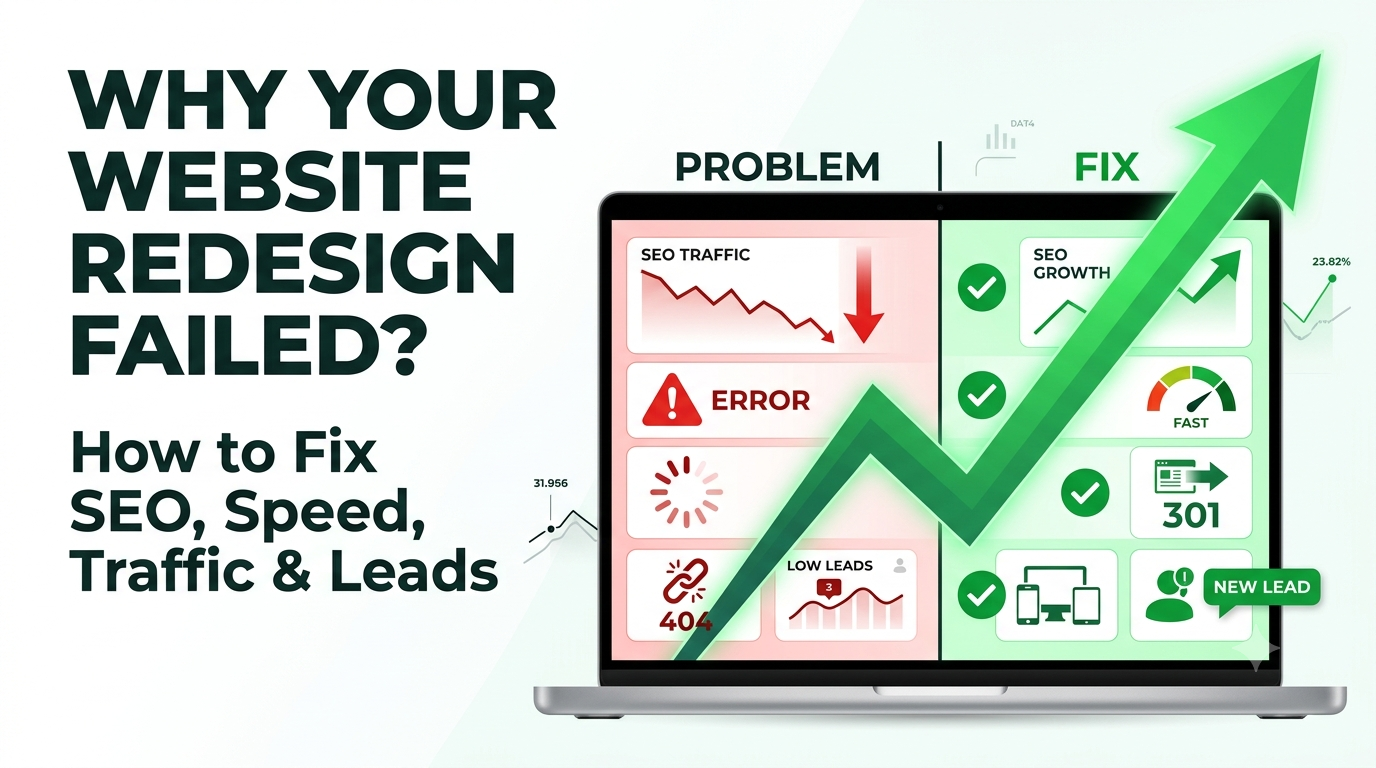
Common signs of a failed redesign:
- Organic search traffic dropped significantly after the new site went live
- The website loads slowly on mobile devices
- Visitors arrive but leave within seconds without clicking anything
- The contact form, phone number or enquiry button is hard to find
- Google rankings for important keywords disappeared or fell
- The website does not reflect what your business does or who it is for
- Your team cannot update content without technical help
If any of these apply, keep reading. Each one is fixable once you understand the root cause.
The Real Reasons Website Redesigns Fail
Reason 1: SEO Was Treated as an Afterthought
This is the most common and most damaging mistake. A new design is built from scratch, URLs are changed, page titles are rewritten without keyword research, and nobody sets up redirects from old pages to new ones.
The result: Google, which had been indexing and trusting your old pages, suddenly cannot find them. Rankings drop, traffic falls and the owner wonders why, since the website looks so much better.
SEO must be built into a redesign from day one. This means:
- Mapping all existing URLs before the redesign begins
- Setting up 301 redirects for every page whose address changes
- Keeping or improving existing meta titles and descriptions
- Preserving high-performing content and headings
- Submitting an updated XML sitemap in Google Search Console
- Checking that every important page is indexed properly
At Kiefads, every website project begins with a full SEO audit of the existing site before any design work starts. We document what is ranking, which keywords drive traffic and which content must be preserved or improved. This alone prevents the most common cause of post-redesign traffic loss.
Reason 2: The Design Was Built for the Business Owner, Not the Visitor
This one is uncomfortable but important. Business owners often have strong preferences for colours, layouts, images or features they find impressive. But the person paying for the website and the person using it have very different needs.
Your visitor arrives with a specific intent. They want to know:
- Can you solve my problem?
- How quickly can I contact you?
- Can I trust you?
They are not there to admire the design. When a website is built around the owner’s preferences instead of the visitor’s journey, the result is often a beautiful site that converts poorly.
Good design starts with understanding who your visitors are, what they want to achieve and how to make it easy. Every design decision should serve that goal.
Reason 3: Mobile Experience Was Not the Priority
India is a mobile-first market. For most businesses, the majority of website visits now come from smartphones, and the share is often even higher in metro areas like Delhi NCR. You can check the exact split for your own site in Google Analytics.
A website that looks perfect on a desktop but is awkward, slow or hard to navigate on a phone loses most of its potential customers before they read a single word. Google also uses mobile usability in its rankings, so a poor mobile experience hurts your search visibility too.
Signs of a poor mobile experience:
- Text too small to read without zooming
- Buttons too close together to tap accurately
- Images that load slowly on mobile data
- Menus that are hard to use with one thumb
- Contact forms that are frustrating on a small screen
- No click-to-call or WhatsApp button
If your redesign did not put mobile at the centre of every decision, this is a key area to fix.
Reason 4: Page Speed Was Ignored
Page speed is one of the most underestimated factors in both user experience and rankings. Many redesigned websites are actually slower than the sites they replaced because they are packed with:
- Large, uncompressed images
- Heavy animations and sliders
- Multiple third-party scripts and plugins
- Bloated, unoptimised code
Visitors tend to leave quickly when a page takes too long to load, especially on mobile networks with varying speeds across India.
After a redesign, test every key page using Google PageSpeed Insights or GTmetrix. Compress images, use modern formats like WebP, remove unnecessary scripts, enable caching, use a reliable hosting provider and keep code clean and minimal.
Reason 5: There Was No Clear Conversion Path
A website is not a digital brochure. It is a tool for turning visitors into leads or customers. Every important page should answer three questions:
- What do you do?
- Why should I trust you?
- What should I do next?
Common conversion path problems:
- No clear call to action on the homepage or service pages
- Contact details buried in the footer
- Too many options at once, causing decision paralysis
- No social proof such as testimonials, client logos, Google reviews or case studies
- Generic copy that does not address the visitor’s specific problems
- No WhatsApp or call option for Indian users who prefer quick conversations
The fix is to map the intended journey for each type of visitor before the redesign begins, then build the structure, content and design around it.
Reason 6: The Content Was Copied and Pasted From the Old Site
A redesign is a chance to significantly improve your content. Many businesses waste it by moving old content into the new design without reviewing it. Old content may be outdated, thin, poorly written or misaligned with how people search today.
Good website content:
- Speaks directly to the visitor’s needs
- Uses natural language that matches real searches, including Hinglish where relevant
- Answers the questions customers actually ask
- Builds trust through specific details, examples and real expertise
If your content was not working before the redesign, it will not work after it.
How to Fix a Failed Website Redesign
Step 1: Run a Full Technical and SEO Audit
Before changing anything, understand what is wrong. A proper audit covers:
- Current rankings and traffic drops since launch
- Missing or broken 301 redirects from old URLs
- Pages that were de-indexed or lost from Google
- Page speed scores on mobile and desktop
- Mobile usability issues flagged in Google Search Console
- Broken links, missing meta data and crawl errors
- Core Web Vitals performance
This gives you a clear picture of what to fix and in what order.
Step 2: Restore Lost Rankings With Proper Redirects
If traffic dropped after the redesign, missing redirects are the most likely cause. Every old URL that changed needs a 301 redirect to its equivalent new page. This tells Google where the page moved and preserves the authority the old page built.
If there is no direct equivalent, redirect to the most relevant page on the new site, or to the homepage as a last resort. It is not perfect, but it is far better than a 404 error.
Step 3: Rebuild the Conversion Path on Every Key Page
Ask someone who has never seen your business to look at each important page and answer:
- What does this company do?
- Who is it for?
- Why should I trust them?
- What should I do next?
If they struggle with any answer, the page needs work. Add clear headings, relevant content, social proof and a prominent call to action. Make the next step obvious.
Step 4: Fix Mobile and Speed Issues
Use Google PageSpeed Insights and Search Console to identify specific problems. Compress images, remove non-essential scripts and test every page on real mobile devices, not just a browser simulator. If your website platform makes good speed and mobile performance genuinely difficult to achieve, the platform itself may need to change.
Step 5: Improve Content Quality
Review every important page against this standard:
- Does it speak to the visitor’s specific problem?
- Does it answer the questions they are likely to have?
- Does it show real expertise rather than generic claims?
- Is it written in natural language that matches how people search?
If not, rewrite it. This is not a cosmetic change. Content quality directly affects both rankings and conversions.
Step 6: Monitor and Keep Improving
After fixes go live, track rankings, traffic, enquiries and conversion rates weekly for the first few months. Check Search Console for crawl and indexing issues, and address drops immediately.
Kiefads offers website audit and content improvement services designed to rescue underperforming websites. If your redesign did not deliver what you expected, we can identify exactly what went wrong and build a clear plan to fix it.
What a Successful Website Redesign Looks Like
Here is a reference point for a properly executed redesign.
Before the redesign
A full audit of the existing site covers SEO performance, traffic sources, conversion rates and content quality. All existing URLs are documented and a redirect plan is created.
During the redesign
Mobile experience is the primary design constraint. Page speed is measured at every stage. Content is rewritten with a clear keyword strategy and visitor intent in mind. Conversion paths are built into the structure from the start.
After launch
Google Search Console is monitored closely for crawl errors, indexing issues and traffic anomalies. Speed and mobile usability are re-tested on the live site. Rankings are tracked weekly and any drops are addressed immediately.
This is the standard Kiefads holds every website project to. It is more thorough than what many agencies offer, but it is what separates a redesign that works from one that does not.
Website Redesign Checklist for Indian Businesses
- Audit current traffic, rankings and top-performing pages
- Document all existing URLs and create a 301 redirect map
- Keep or improve titles, meta descriptions and headings
- Design mobile-first, then scale up to desktop
- Compress images and test speed before launch
- Add clear calls to action, a click-to-call button and a WhatsApp button
- Include testimonials, reviews, certifications and case studies
- Rewrite content for search intent instead of copying old text
- Set up Google Analytics, Search Console and conversion tracking
- Submit the new XML sitemap after launch
- Monitor rankings, errors and traffic for at least three months
- Choose a CMS your team can update easily
How Kiefads Can Help
Kiefads combines web development, SEO and content strategy to diagnose what went wrong with your website and rebuild it properly. Our services include:
- Website audit covering SEO, speed, mobile usability and conversion issues
- Website redesign and development that is mobile-first and SEO-safe
- 301 redirect planning and ranking recovery
- Content rewriting and optimisation in English and Hindi
- Conversion rate optimisation with clear calls to action and lead forms
- Website maintenance (AMC) so your site stays fast, secure and up to date
- Ongoing SEO and reporting focused on leads, not just rankings
Whether you are in Delhi NCR, Faridabad, Gurugram, Noida or anywhere in India, Kiefads builds a plan around your business goals and budget.
Conclusion: A Website That Looks Good Is Not Enough
A successful redesign is not measured by how much better it looks. It is measured by whether it brings more traffic, more leads and more business than the site it replaced.
The six reasons covered here, neglected SEO, designing for the wrong audience, poor mobile experience, slow page speed, unclear conversion paths and weak content, account for most failed redesigns. Each one is fixable, but fixing them requires understanding what went wrong.
If your redesign did not deliver, do not accept that as the final result. The right strategy and the right team can turn an underperforming website into your most effective business tool.
Ready to find out what went wrong? Contact Kiefads today for a free website audit and an honest assessment of where things stand and what it will take to fix them.
Frequently Asked Questions (FAQs)
1. Why did my website traffic drop after a redesign?
The most common cause is missing 301 redirects and changed URLs, which causes Google to lose the pages it previously ranked. Removed content, rewritten titles and technical errors can also contribute.
2. How long does it take to recover rankings after a failed redesign?
It depends on the damage. Fixing redirects and technical issues can bring improvement within weeks, while full recovery may take a few months. Timelines vary by site and competition.
3. What are 301 redirects and why do they matter?
A 301 redirect permanently sends visitors and search engines from an old URL to a new one, passing on the ranking authority the old page had built.
4. Can a new website design hurt SEO?
Yes. If URLs, content, headings, internal links or page speed are handled poorly during the redesign, rankings can fall even if the site looks better.
5. How do I know if my redesign failed?
Compare traffic, rankings, enquiries and conversion rates before and after launch. If they stayed flat or dropped, and mobile speed or usability is poor, the redesign likely missed its goals.
6. Why is mobile-first design important in India?
Most Indian users browse on smartphones, often on variable mobile networks. A site that is fast and easy to use on mobile keeps visitors engaged and supports better rankings.
7. How important is page speed for a website?
Very. Slow pages frustrate visitors, increase exits and can hurt search performance. Compressing images and removing unnecessary scripts usually brings quick gains.
8. Should I rebuild my website or fix the existing redesign?
In most cases, fixing the specific issues (redirects, speed, content and conversion paths) is faster and cheaper. A rebuild is only needed if the platform or structure itself blocks good performance.
9. How much does it cost to fix a failed website redesign?
The cost depends on the number of pages, the issues found and the work required. A website audit is the best first step to get an accurate estimate.
10. How can Kiefads help fix my website?
Kiefads offers website audits, redirect and SEO recovery, mobile and speed optimisation, content improvement and conversion-focused redesign for businesses across India.