
Before Google can rank a page, feature it in a rich result, or have it cited by an AI assistant, that page has to be found and read first. That first step is crawlability — the foundation everything else in SEO sits on. A site can have perfect keyword targeting, strong backlinks, and genuinely great content, but none of it matters if search engine bots can’t reach the pages in the first place.
What Is Crawlability in SEO?
Crawlability describes how easily automated bots — commonly called crawlers, spiders, or robots — can access, navigate, and read the pages on your website. Search engines run these programs (Google’s is Googlebot, Bing runs Bingbot, and a growing number of AI platforms run their own crawlers) to discover new and updated content by following links from page to page across the web.
When a crawler lands on your site, it requests your pages and their resources, follows the links it finds, and builds a picture of how your site is structured. If nothing gets in the way of that process, your site is considered highly crawlable.
Crawlability vs. Indexability
The two terms get used interchangeably, but they describe different stages of the same pipeline:
- Crawlability — can a bot reach the page and read what’s on it?
- Indexability — is the bot allowed to store that page in the search index and show it in results?
A page can be perfectly crawlable and still never get indexed — a noindex tag will do that on its own. But the reverse isn’t possible: a page that can’t be crawled has no chance of being indexed, ranked, or pulled into an AI-generated answer. Crawlability is the gate everything else has to pass through first.
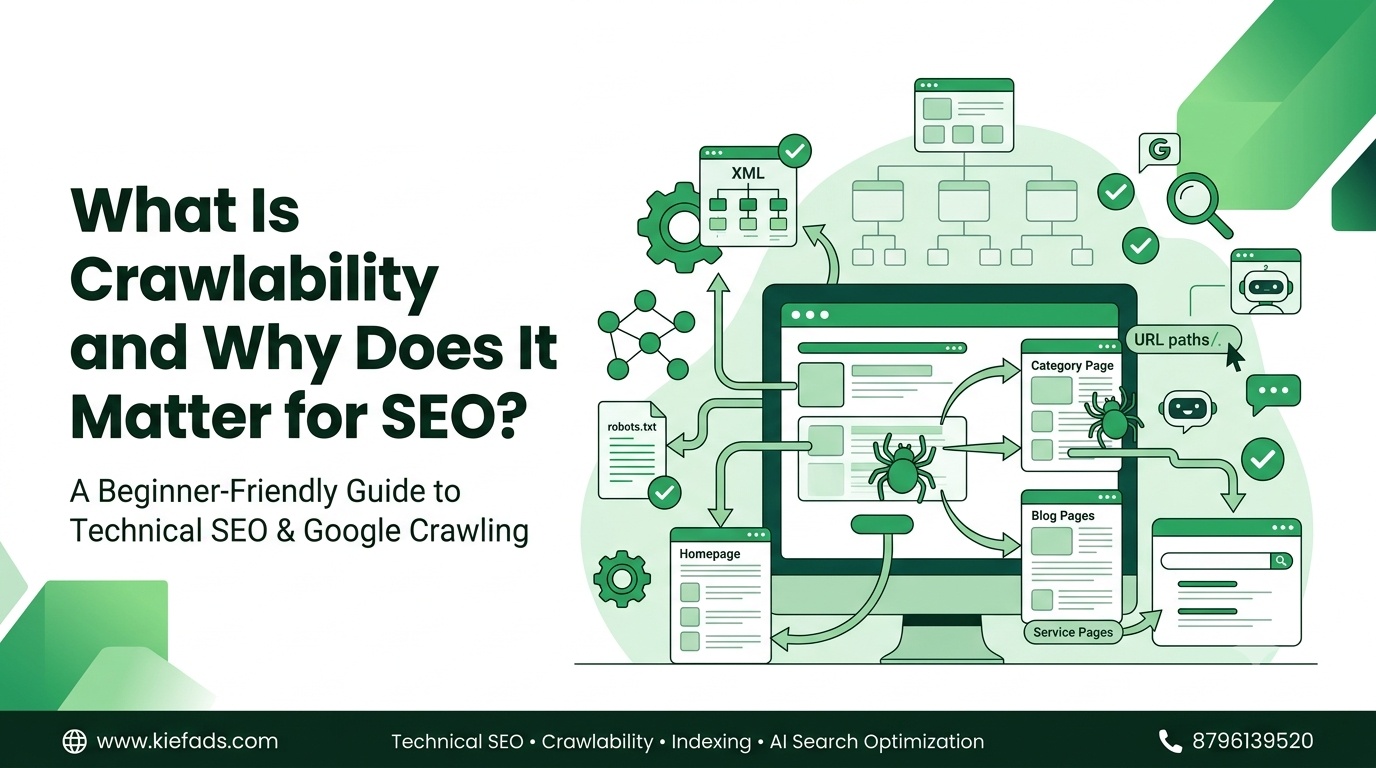
How Search Engines Crawl a Website
Understanding the mechanics makes it easier to spot where things break down:
- Discovery — a bot finds a URL because it already knows the page, followed a link to it, or found it in a submitted XML sitemap.
- Fetching — the bot requests the page and its resources (HTML, CSS, JavaScript, images) from your server.
- Rendering — on JavaScript-heavy pages, the bot has to execute scripts to see the fully loaded page, not just the raw HTML.
- Parsing and link extraction — the bot reads the content and pulls out every link to add to its crawl queue.
- Queuing for indexing — what’s crawled gets passed downstream to be evaluated for the index.
Anything that interrupts one of these steps — a blocked script, a server timeout, a page with no internal links pointing to it — creates a crawlability problem, even when the content itself is excellent.
Why Crawlability Matters for SEO
It determines how fast new content gets discovered. When you publish a new product, service, or blog page, strong crawlability means bots find and process it quickly — which matters when you’re trying to capture demand around a timely or seasonal search.
It protects your crawl budget. Every site gets a rough crawl budget — the number of pages a search engine is willing to crawl in a given window. When bots burn that budget on broken links, redirect chains, or duplicate URLs, there’s less capacity left for the pages that actually drive revenue.
It keeps important pages from disappearing. Pages buried under confusing navigation, missing from internal links, or unintentionally blocked by a directive don’t just rank poorly — they often don’t get crawled at all, making them invisible no matter how good the content is.
It’s now a prerequisite for AI visibility, too. Answer engines and generative AI tools depend on being able to crawl and parse content before they can cite or summarize it. Google has confirmed that its crawling infrastructure is shared across products well beyond classic web search, including Shopping, News, and Gemini — a reminder that crawl access now underpins visibility far beyond the traditional results page. google
Key Factors That Impact Site Crawlability
- Site architecture and internal linking — a shallow, logical structure keeps important pages just a few clicks from the homepage. Pages with no internal links pointing to them (orphan pages) are especially hard for bots to find.
- Robots.txt directives — this file tells bots what they’re allowed to request. One misplaced
Disallowrule can accidentally block an entire section of high-value pages. - XML sitemaps — a clean, current sitemap gives crawlers a direct map of your canonical URLs, which matters most for large sites or pages buried deep in the structure.
- Server performance and uptime — frequent errors, timeouts, or slow responses cause crawlers to back off and crawl less often, slowing discovery of everything else on the site.
- Broken links and redirect chains — 404s, loops, and multi-hop redirects waste crawl budget and can stop a bot before it reaches the final page.
- JavaScript rendering — if critical content or links only appear after scripts execute, and that execution fails, bots may never see them.
- URL parameters and duplicate content — faceted navigation and tracking parameters can generate countless URL variants of the same page, spreading crawl budget thin.
- Mobile crawlability — since Google crawls and indexes primarily using the mobile version of a site, content that breaks or disappears on mobile directly affects what gets crawled.
- Meta robots and canonical signals — conflicting directives (blocking a page in robots.txt while also tagging it noindex, which bots can’t see) create wasted, confusing crawl activity.
How to Check Your Website’s Crawlability
- Google Search Console — the Page Indexing report shows which URLs are and aren’t indexed and why; URL Inspection shows how Googlebot sees a specific page right now.
- Bing Webmaster Tools — a similar reporting layer for Bing.
- Site crawlers (Screaming Frog, Sitebulb) — simulate a search engine crawl of your own site, surfacing broken links, redirect chains, and blocked resources before Google finds them.
- Server log file analysis — shows exactly which bots visited, which pages they hit, and which pages they’re ignoring — the most direct evidence of real crawl behavior available.
Common Crawlability Issues and Fixes
| Issue | Typical Fix |
|---|---|
| Important pages blocked in robots.txt | Audit and correct Disallow rules |
| Orphan pages with no internal links | Add contextual internal links from related pages |
| Redirect chains and loops | Point redirects directly to the final URL |
| Frequent server errors or slow responses | Improve hosting, caching, and server resources |
| Duplicate URLs from parameters | Apply canonical tags or parameter handling |
| Content hidden behind JavaScript | Server-side render or pre-render key content |
| Outdated or missing XML sitemap | Regenerate and resubmit an accurate sitemap |
FAQs
Does crawlability affect page speed or rankings directly? Not directly — but slow, error-prone servers get crawled less often, which delays discovery and indexing of new or updated content.
How often does Google crawl a website? It varies by site, based on how often content changes, how authoritative the domain is, and how much crawl budget the site is allotted — anywhere from multiple times a day to weeks apart.
Can a page be indexed without being crawled? In rare cases, Google can index a URL it hasn’t fully crawled based on external signals like links, but it won’t have real content to show for it. Reliable indexing requires a successful crawl.
Does blocking a page in robots.txt guarantee it won’t appear in search results? No — robots.txt blocks crawling, not indexing. A blocked URL can still appear in results (often with no description) if it’s linked to from elsewhere. Use a noindex tag for that.
Crawlability Is Where SEO Actually Begins
Keyword research, content quality, and link building all matter — but none of it can do its job if search engines can’t reach your pages first. At Kiefads, this is where every SEO engagement starts. Before touching keywords or content, we run a full technical crawl audit — checking robots.txt, XML sitemaps, internal linking, server response codes, and redirect health — to find exactly what’s stopping search engines, and increasingly AI crawlers, from reaching your most valuable pages. From there, we fix the architecture so your site stays crawlable as it grows, not just on the day of the audit.
If you’re not sure whether your site has hidden crawl issues, that’s usually the fastest problem to find and the most valuable one to fix. Talk to the Kiefads team for a technical crawlability and indexing review.
For deeper technical reference, Google now maintains its official crawling documentation at developers.google.com/crawling.